

Run your sales, inventory, customers, and business, all from one easy-to-use web-based and application-based Point-of-Sale software package. Connect Shopify and other online stores, and your e-commerce sales flow in automatically with inventory kept in sync.
31-day trial for $1, refunded if you decide not to sign up. Then $99/month. No setup fees. No contracts, end anytime.
The IkonPro® sales terminal, ringing up a sale on an Android tablet
Who it's for
Less time managing your Point-of-Sale. More time serving customers.
Storefronts
Brick-and-mortar shops with one counter or many.
In-home sellers
Selling from home, at events, or on the go.
E-commerce
Online stores, with sales and inventory synced automatically.
Or any combination. If you sell it, IkonPro® has your back.
The sales terminal
From tap to total in three screens.
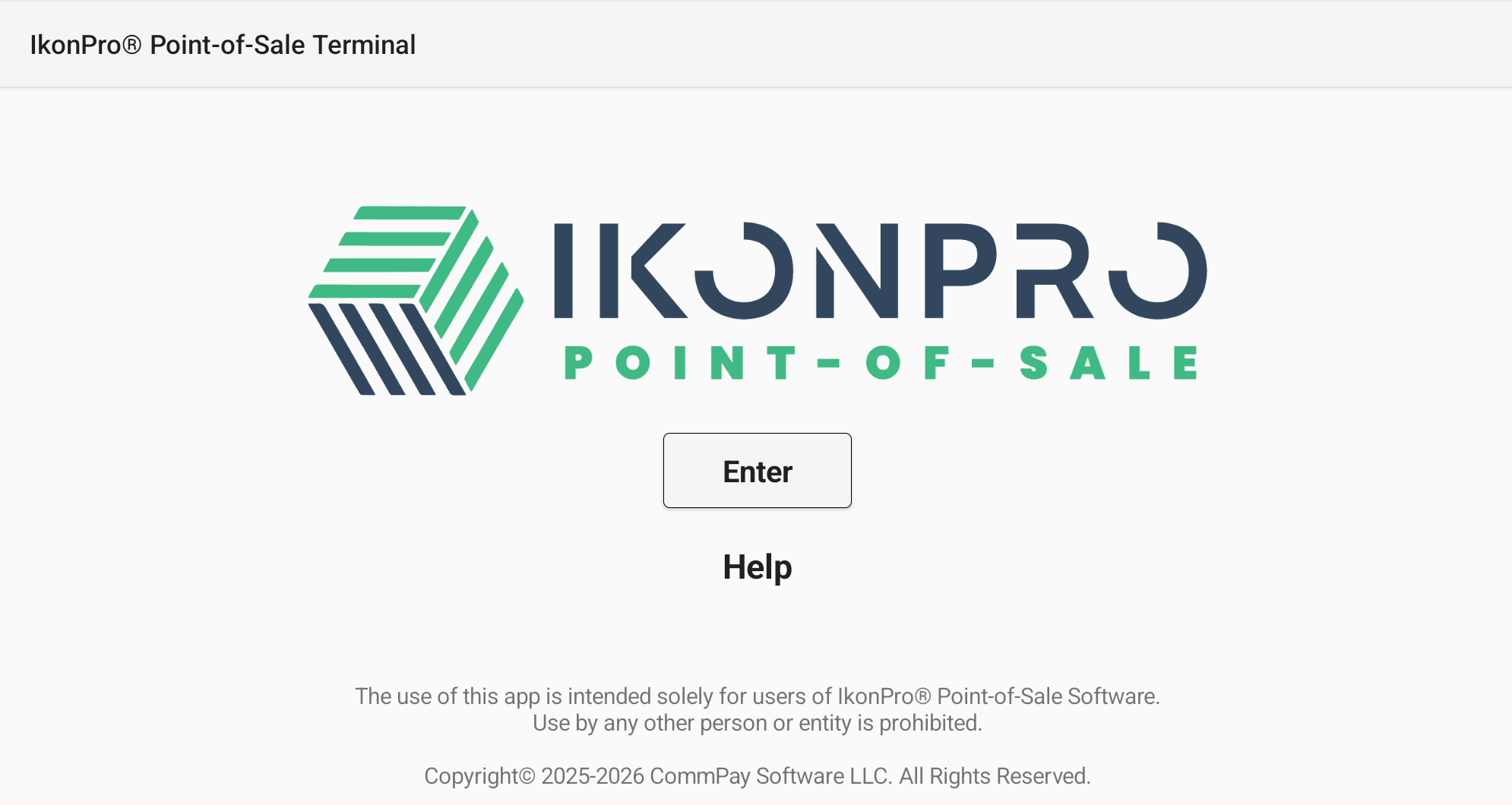
1Open the terminalLaunch the IkonPro® app on your tablet and tap Enter to start selling.
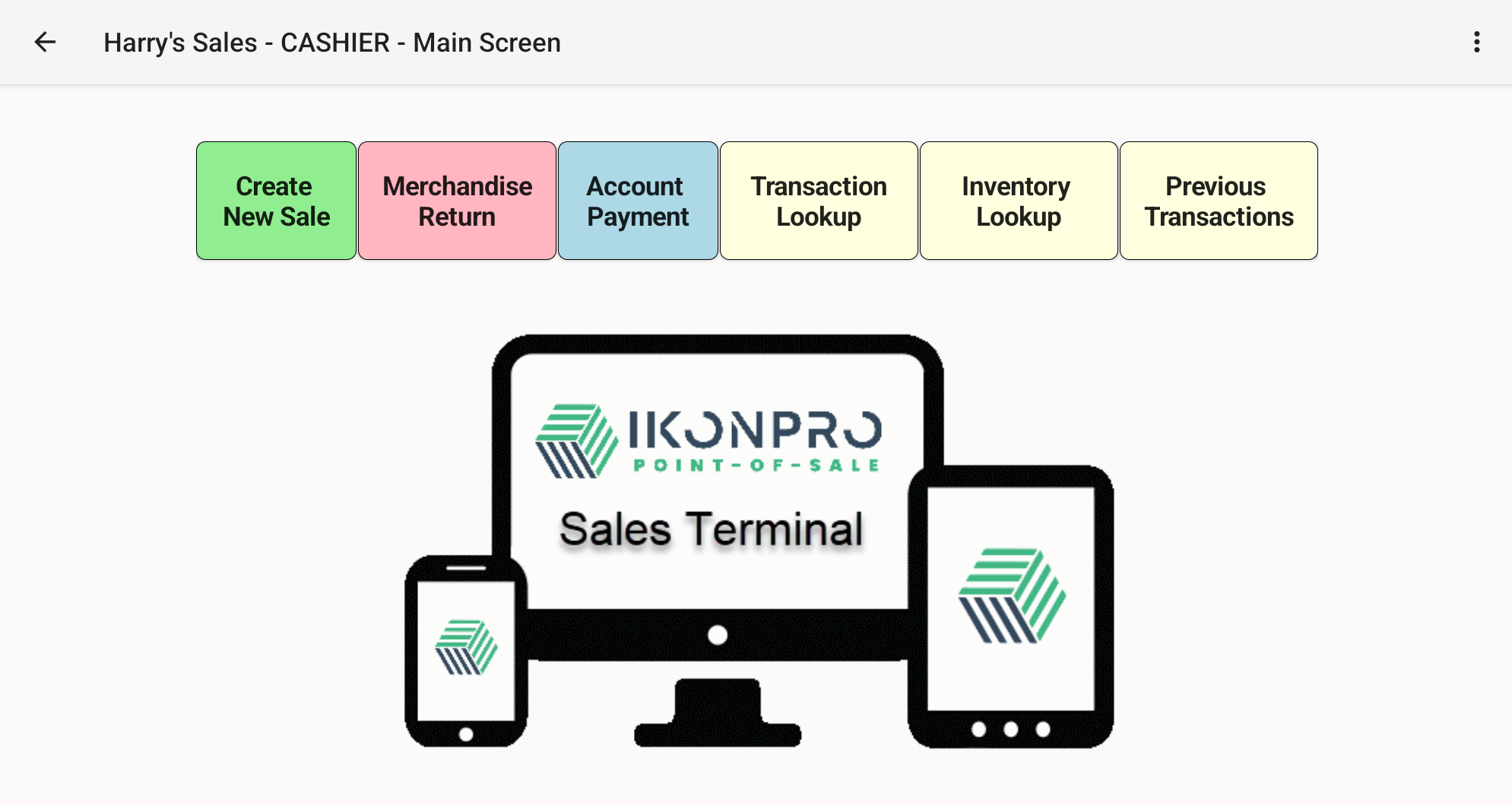
2Everything a cashier needs, one tap awayNew sales, merchandise returns, account payments, and transaction and inventory lookups, all from the cashier main screen.
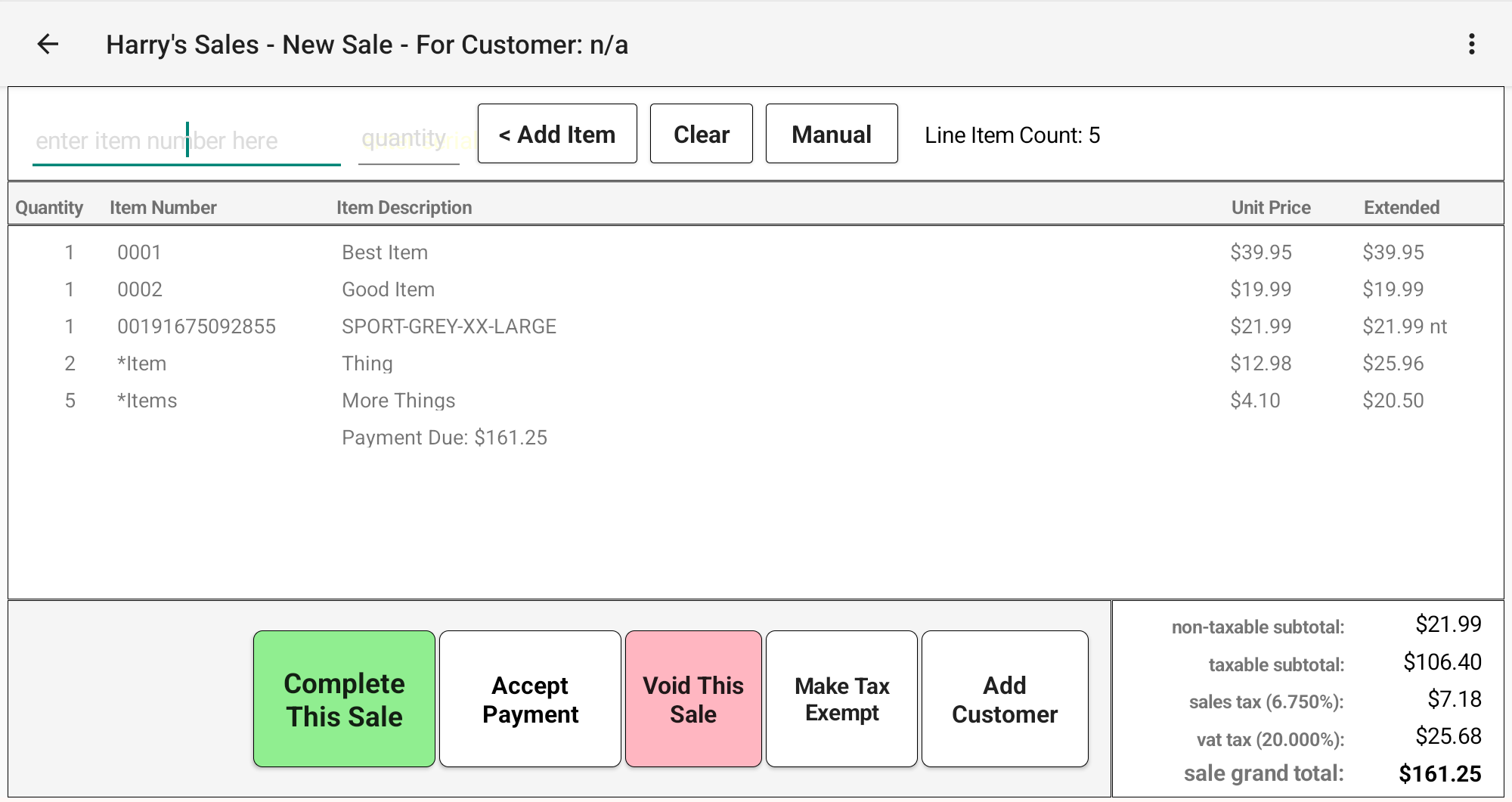
3Ring up the saleScan or enter item numbers and IkonPro® totals the sale and taxes. Then accept payment, add a customer, mark it tax exempt, or void it.
The tablet runs the counterStaff ring up sales, take payment and print or send receipts on a touch screen built for speed.
The browser runs the businessOwners and managers handle products, pricing, staff and reports from any computer, no install needed.
IkonPro® browser admin
The browser admin. Setup, sales, inventory, reports, e-commerce and your dashboard, all from any computer's web browser.
Hardware
No expensive sales terminal required.
Traditional POS systems often tie you to costly, proprietary terminals. IkonPro® runs on an inexpensive Android or Apple tablet, and connects to card readers, receipt printers and barcode scanners over Bluetooth. No special wiring, no locked-in hardware.
Unlimitedsales terminals
Unlimitedstore locations
Both included in the base price. Add another tablet or open another store without paying more for your POS.
Android or Apple tabletUse an affordable tablet you buy anywhere, or one you already own. A 10-inch minimum screen is recommended, with 12 inches or larger suggested.
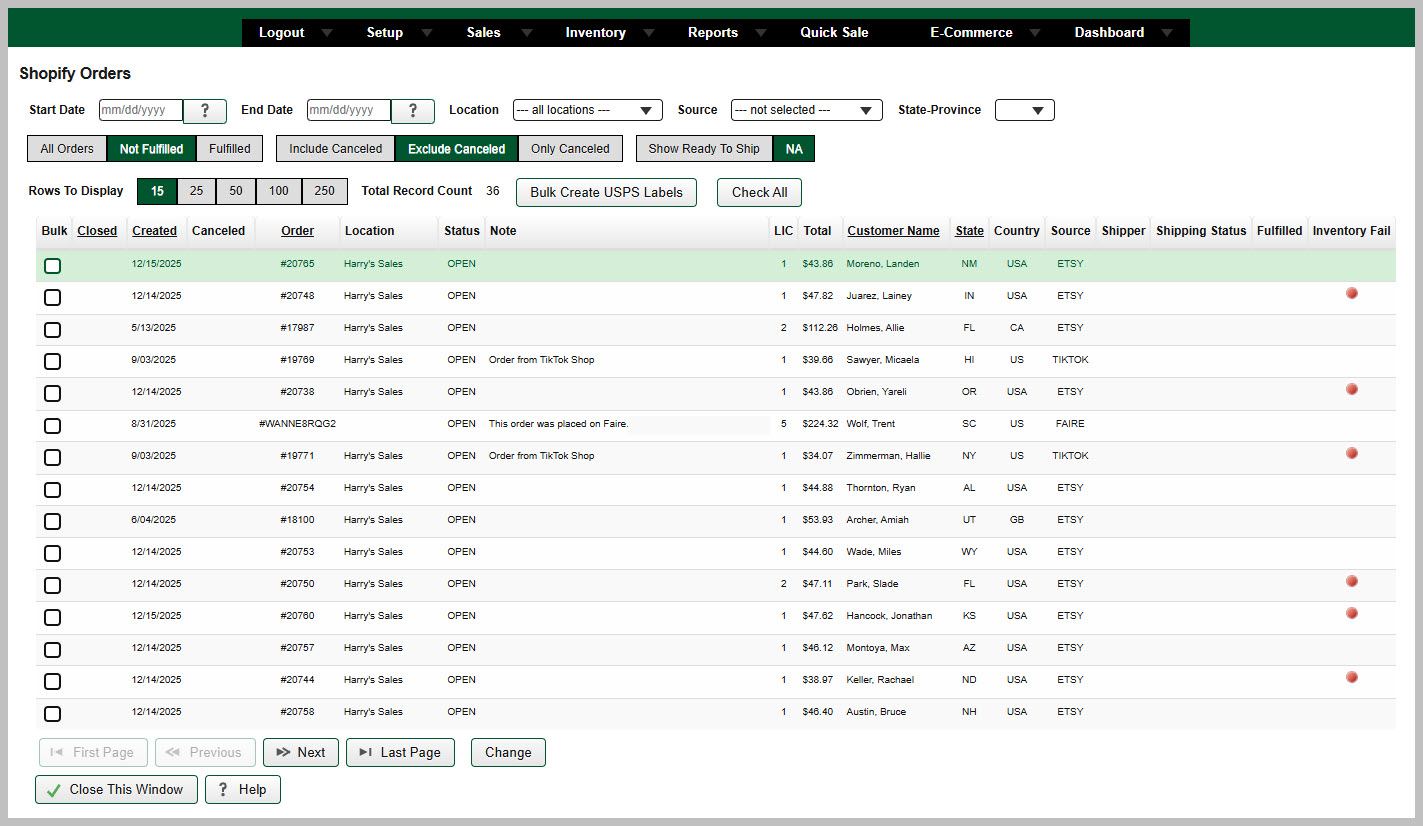
IkonPro® connects directly to Shopify and many other e-commerce platforms. Online orders flow into IkonPro® automatically, and inventory stays in sync, so a sale on your website and a sale at the counter come out of the same stock count.
Your online storeShopify and other platforms
Orders imported · stock synced
IkonPro® inventoryOne stock count for every channel
In-store sales update stock
Your counter tabletSales at the register
IkonPro® browser admin · Shopify Orders
Shopify Orders. Online orders arrive in IkonPro® automatically. Filter by date, location or status, flag inventory issues, and create USPS shipping labels in bulk.
Features
Everything at the counter, nothing in the way.
01
Inventory Control
Inventory is the lifeblood of your business, and IkonPro® keeps it all flowing smoothly, from purchasing and reordering to pricing and moving stock between locations.
Integrated purchase order system
Inventory reorder and forecasting reports
Minimum stock levels and reorder counts for each item, at each sales location
Seasonal availability for each item
Serialized inventory tracking
Wholesale and retail pricing
Multiple vendors for each item
Import inventory records from an external database
Easily sell non-stocked items
Transfer stock between sales locations
Plus many more standard inventory features.
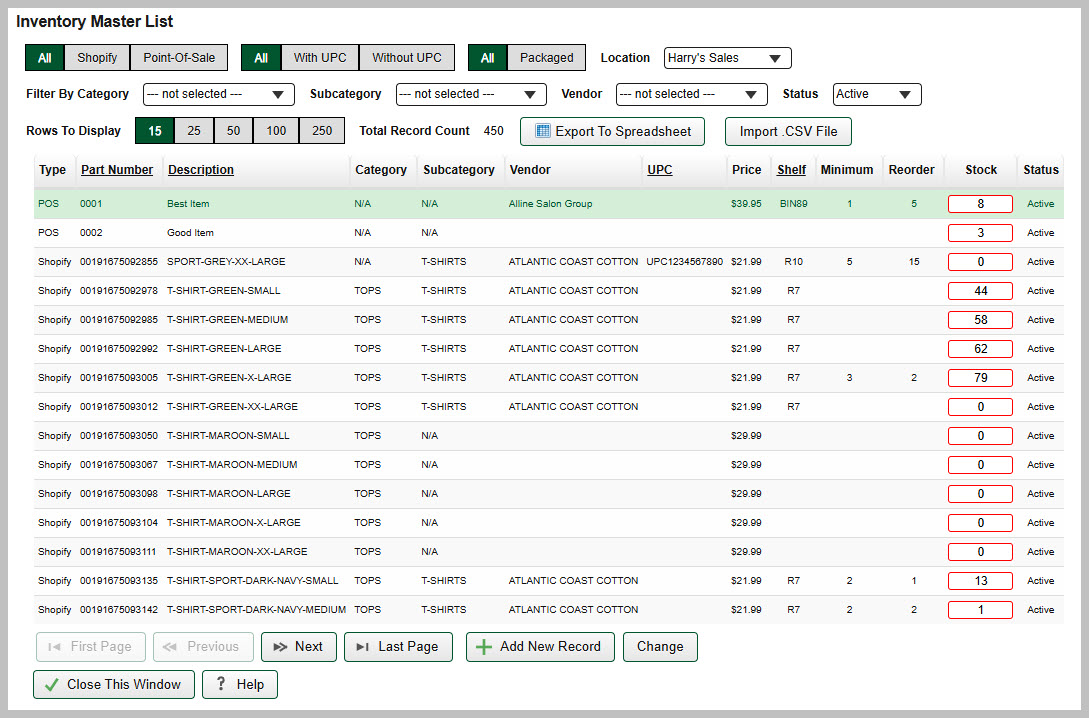
IkonPro® browser admin · Inventory Master List
Inventory Master List. Every item from your counter and your Shopify store in one view. Filter by channel, location, category or vendor, check stock at a glance, and export to a spreadsheet or import a .CSV file in one click.
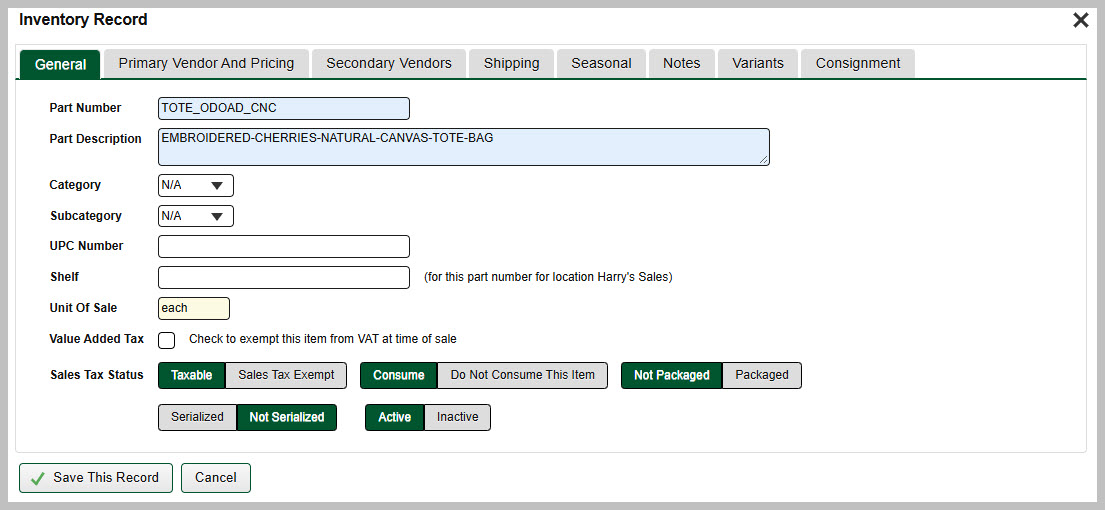
IkonPro® browser admin · Inventory Record
Inventory Record. Each item's full details in one place, with tabs for vendors and pricing, shipping, seasonal availability, variants and consignment, plus per-location shelf, tax, serialized and active settings.
In IkonPro®, an asset is any physical item used in the operation of your business, no matter how small and trivial or how large and necessary.
Showroom furnishings such as tables, desks, chairs, literature racks, display cases, even the pictures on the walls. Computer equipment such as printers, barcode scanners, USB cords, tablets, routers, monitors, and on and on. Even a delivery vehicle is an asset.
Why track assets with IkonPro®? Here are just a few reasons.
Fire or burglary? What was damaged or missing? Supply your insurance company with a list of the damaged or missing items in seconds.
Tax time? See your equipment purchases and their cost with a button click.
Need warranty work? IkonPro® stores invoices and sales receipts, so proof of purchase can be exported at will.
The reasons for tracking your business's physical assets are virtually unlimited.
IkonPro® lets you consign your inventory, or products, to another company, person or entity. That consignee is your consignment vendor, who sells your inventory for a commission.
How consignment works in IkonPro®
1Consign your products. Assign inventory to a consignment vendor.
2Set the commission per item. Pay the vendor a flat rate or a percentage of the sale amount, set on each item rather than on the consignment as a whole.
3Let IkonPro® keep the books. See what each vendor owes you for consignment sales, and what you owe in commissions for what has sold.
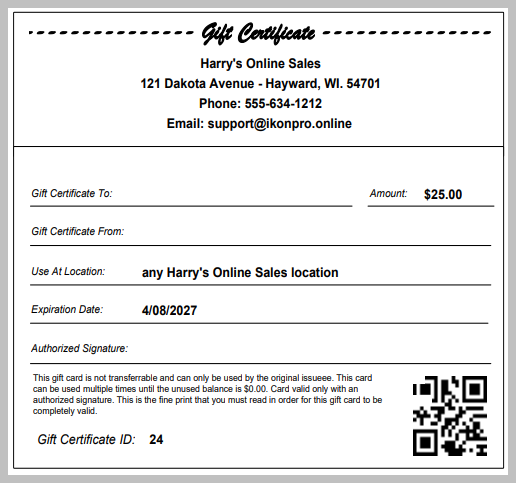
Create and print your own in-house gift certificates, or bring externally printed gift certificates into the system. Either way, IkonPro® tracks every one.
Print your own or use existing ones. Create and print in-house gift certificates in IkonPro®, or incorporate certificates you had printed elsewhere.
Sell them or donate them. Sell gift certificates to customers, or donate them for promotional events and the like.
Track every certificate. Each gift certificate has its own unique identifier. When a customer redeems one during a sale, IkonPro® tracks that certificate's usage and keeps a running balance.
An in-house gift certificate printed from IkonPro®, with its own certificate ID, QR code, and fine print you write yourself.
Sometimes you want to tag a sale to a specific customer: repeat customers, commercial customers, or customers you may want to market to later. IkonPro® keeps a record for each one.
Create a customer record at the sale. From then on, every sale to that customer is tagged to their record.
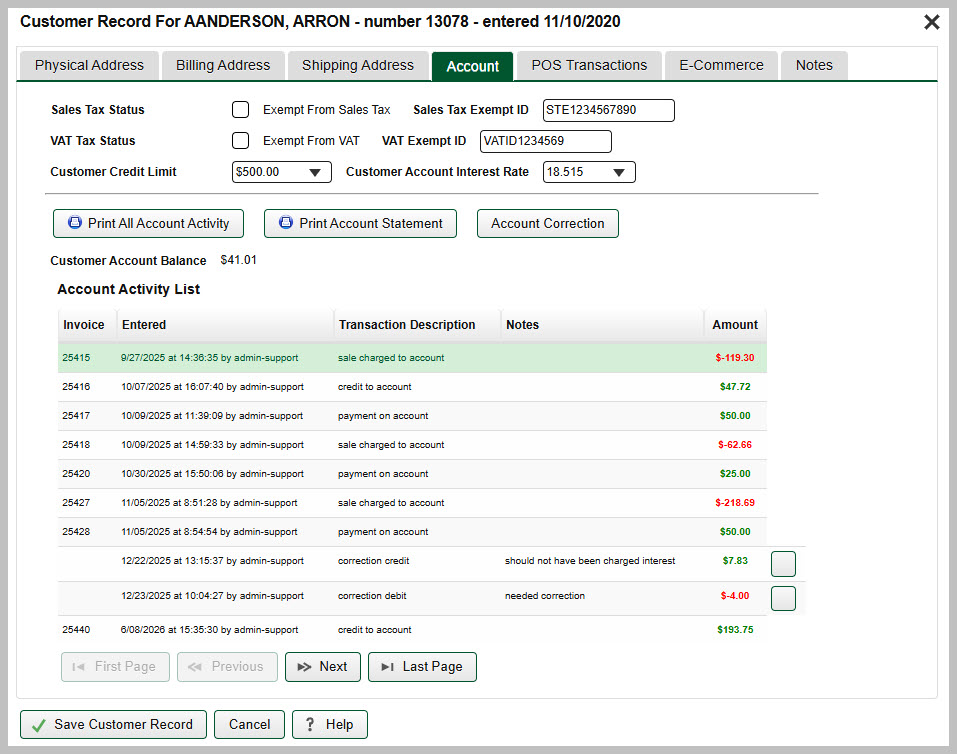
Offer revolving charge accounts. Let customers, especially repeat commercial customers, charge purchases to their account instead of paying at the time of the sale. You send them a bill once a month.
Set a credit limit. Assign a credit limit to any customer you allow to have a charge account.
Always know who owes what. IkonPro® always knows the balance of each and every customer account.
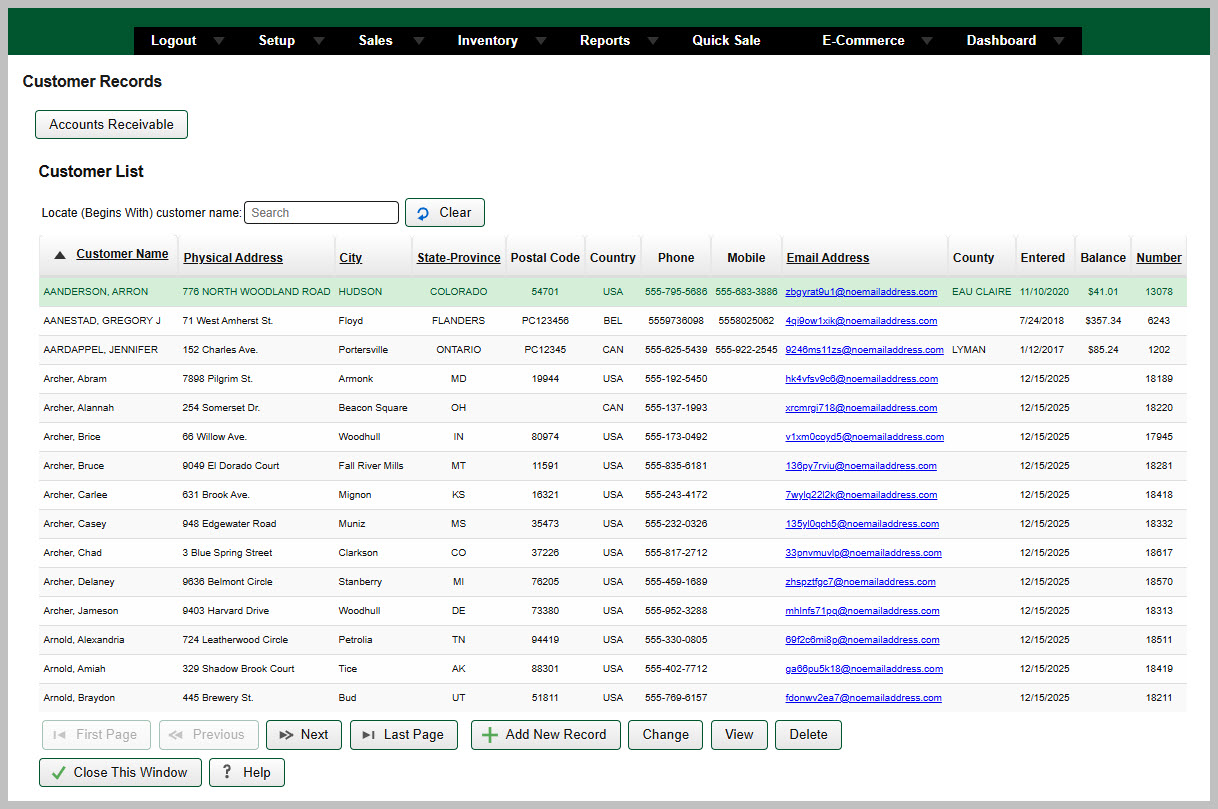
IkonPro® browser admin · Customer Record
Customer Record. Credit limit, account interest rate, tax-exempt IDs and the current balance, with every charge, payment and credit listed and statements ready to print.
On the tablet, tap items and take payment in a few taps, including split tendering across more than one payment method. Discounts are admin-only, so you stay in control of your pricing. Most Bluetooth receipt printers and scanners work right out of the box.
Reports you can read
IkonPro® provides extensive reporting for all areas of operation: tax collected, daily inventory snapshots, inventory usage, income statements, reorder reports, and on and on. We add new reports at user request.
Multiple locations
IkonPro® supports unlimited sales locations, whether it’s a storefront, a kiosk in a mall, a county fair, or your mother’s basement.
Staff & permissions
Each staff member gets unique login credentials, with access fine-tuned to only the functions they need. See who rang up what. Store pictures and documents in each staff record, such as staff photos, NDAs, driver’s license photos and tax documents.
Ready for any country
Choose your country and IkonPro® sets the rest: currency symbols, date formats, postal codes, phone number formats and value-added tax. State and province lists show every region for your country.
Payments built in
Accept cards, tap-to-pay and cash, with digital receipts by email or text. Works with Square and Authorize.Net.
Built-in training
No guessing. A training video for every part of IkonPro®.
Every area of the software comes with its own complete, step-by-step video tutorial. New cashiers and managers can learn exactly how anything works, right when they need it.
30+individual training tutorials
Inside the software. Open any tutorial without leaving IkonPro®.
Outside the software, too. Watch the videos outside IkonPro® as well, so staff can train before their first shift.
Detailed and easy to follow. Complete walkthroughs, available immediately, whenever you need a refresher.
31-day trial for $1, refunded if you decide not to sign up.
Unlimited sales terminals
Unlimited store locations
No startup or setup fees
No hidden costs
No contracts.End your use at any time.
Questions, answered.
You can try IkonPro® Point-of-Sale for 31 days for one US dollar. The trial is the full software package, with nothing removed or restricted. If you decide not to sign up at the end of the trial, we refund your $1.
Any Android or iOS tablet, so there is no costly sales terminal to buy. We recommend a minimum screen size of 10 inches, but suggest 12 inches or larger. Peripherals such as card readers, receipt printers and barcode scanners connect over Bluetooth.
No. The IkonPro® admin runs in a web browser, so owners and managers can update products, prices, staff and reports from any computer.
Keep selling. The sales terminal continues to make sales offline, and those sales are uploaded automatically once your internet connection is restored.
Yes. IkonPro® connects directly with Shopify and many other e-commerce platforms. Your online sales are imported into IkonPro® automatically and inventory stays synchronized across your website and your store.
Yes. IkonPro® is fully international. When you select your country, IkonPro® automatically sets your currency symbol, date format, postal code and phone number formats, and value-added tax (VAT). The state and province selection lists display all the states or provinces for your selected country.
Yes. Upload a spreadsheet with your items, prices and stock levels and they will appear in your catalog.
IkonPro® currently works with Square and Authorize.Net. If you use a different processor, let us know, and we will try to add it to the system as needed.
Yes. Your data is encrypted, stored on secure servers, and backed up many times a day. IkonPro® is fully PCI compliant.
A tablet at the counter. Your whole business in a browser.
Try IkonPro® Point-of-Sale for 31 days for just $1. If you decide not to sign up, we refund your dollar.